Ring Group Setup Guide
This guide explains how to create a ring group, configure its behavior, and forward an incoming call to it from a local number.
1
Navigate to Ring Group
Top menu: Inbound → Ring Group.
2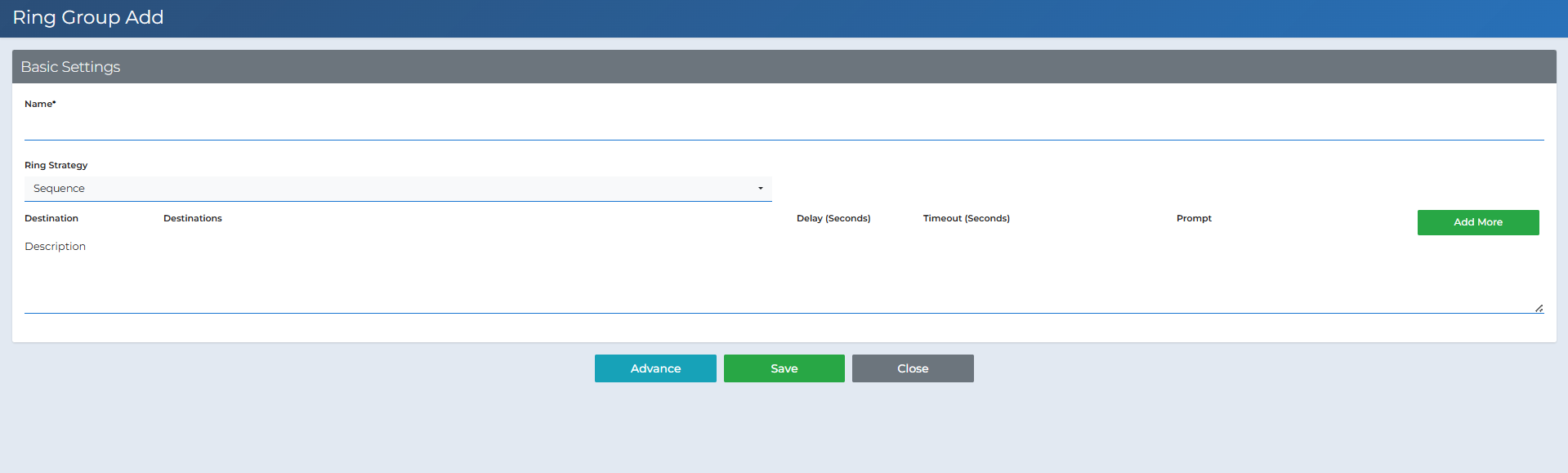

Open the Creation Form
Click +Create to open the New Ring Group page.
3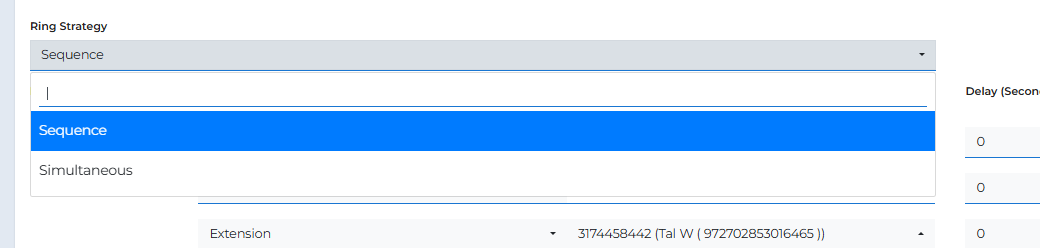

Basic Settings
- Name — A name for the group (e.g., Dispatch).
- Ring Strategy — How the group rings:
- Sequence — Rings members in order (top to bottom).
- Simultaneous — Rings all members at once.
- Destination — For each contact/number you want to ring:
- Destination — Extension or PSTN.
- Destinations — The specific number/extension.
- Delay (Seconds) — How long to wait before this destination starts ringing.
- Timeout (Seconds) — How long to ring before moving to the next destination/ending.
- Prompt — Yes/No. If Yes, the recipient must confirm before the call connects (prevents voicemail from answering).
- Add More — Add additional rows.
- Description — Internal note (optional).
4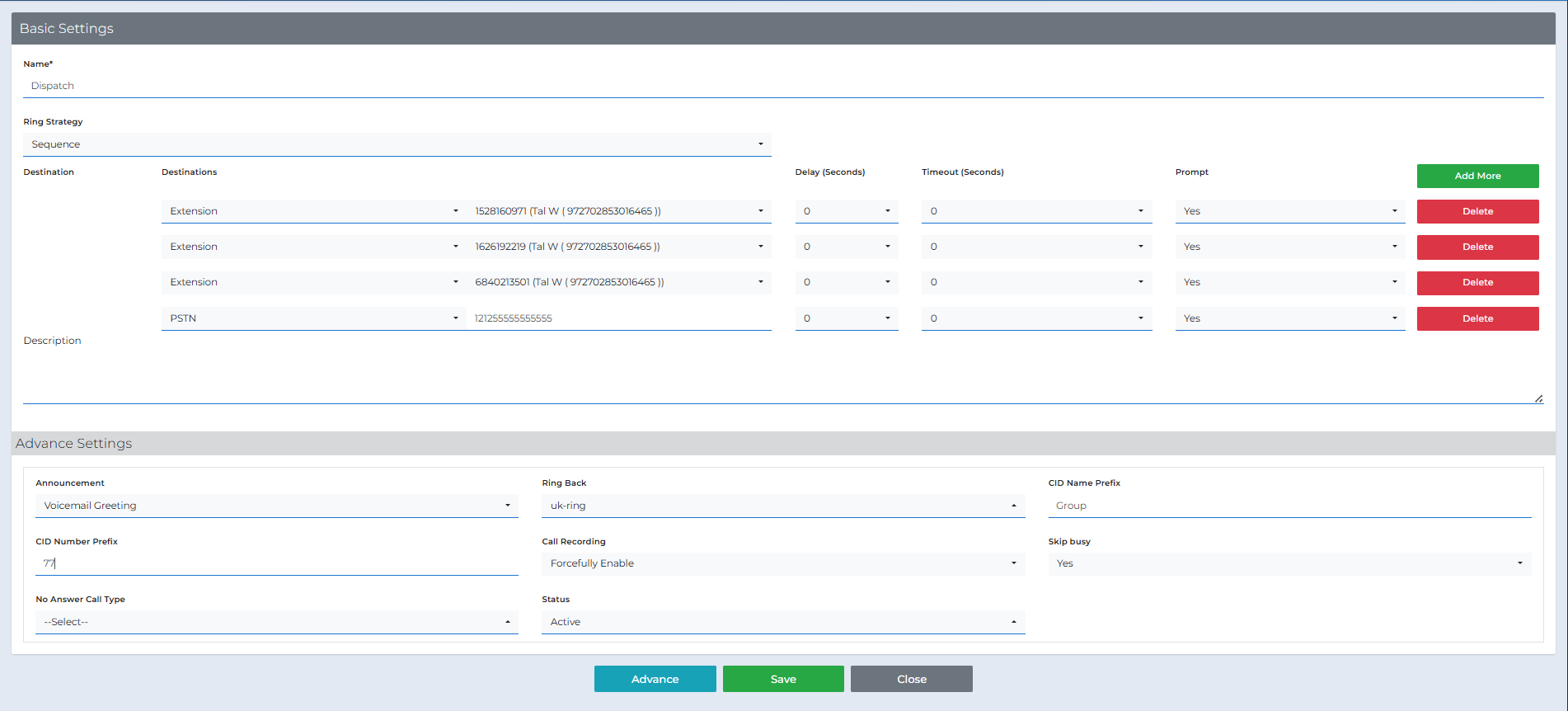

Advanced Settings (optional)
- Announcement — A message played before ringing (if set).
- Ring Back — The tone/music the caller hears while ringing.
- CID Number Prefix — A numeric code prepended to the caller’s number (e.g., 77).
- CID Name Prefix — Text prepended to the caller’s name (e.g., Group).
- Call Recording — Enable/disable/force recording for group calls.
- Skip busy — If Yes, skips members who are currently busy.
- No Answer Call Type — Fallback destination if no one answers (Voicemail/Queue/IVR, etc.).
- Status — The group’s state (Active/Inactive).
5

Save and Confirm
Click Save. The group will appear in the list.
6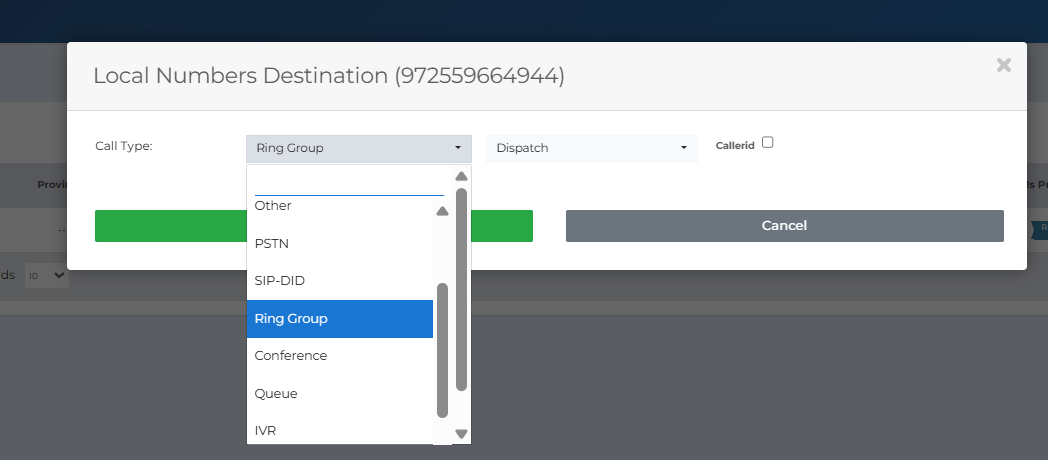

Forward a DID to the Group
Inbound → Local Numbers → Call Forward icon.
Set Call Type = Ring Group and select the group, then Save.
Glossary
- Ring Strategy
- How the group’s members are rung (Sequence / Simultaneous).
- Delay / Timeout
- When a destination starts ringing and for how long.
- Prompt
- A confirmation requirement from the recipient to prevent voicemail pickup.
- PSTN
- An external phone number.
- No Answer Call Type
- The fallback destination if there’s no answer.
Need help? Contact support@pbxme.com or WhatsApp +972 55-966-4944 (WhatsApp only).